
How to get started with CartBoss on Shopify or WooCommerce
CartBoss works with Shopify and WooCommerce stores: it texts shoppers who left a cart and past buyers, paid per text from a prepaid balance.
Prices are on the pricing page.
Which ecommerce platforms does CartBoss work with?
CartBoss works with two platforms:
- Shopify: install the CartBoss app from the Shopify App Store. Your store connects by itself.
- WooCommerce (WordPress): install the free CartBoss plugin and connect it with your store's API key.
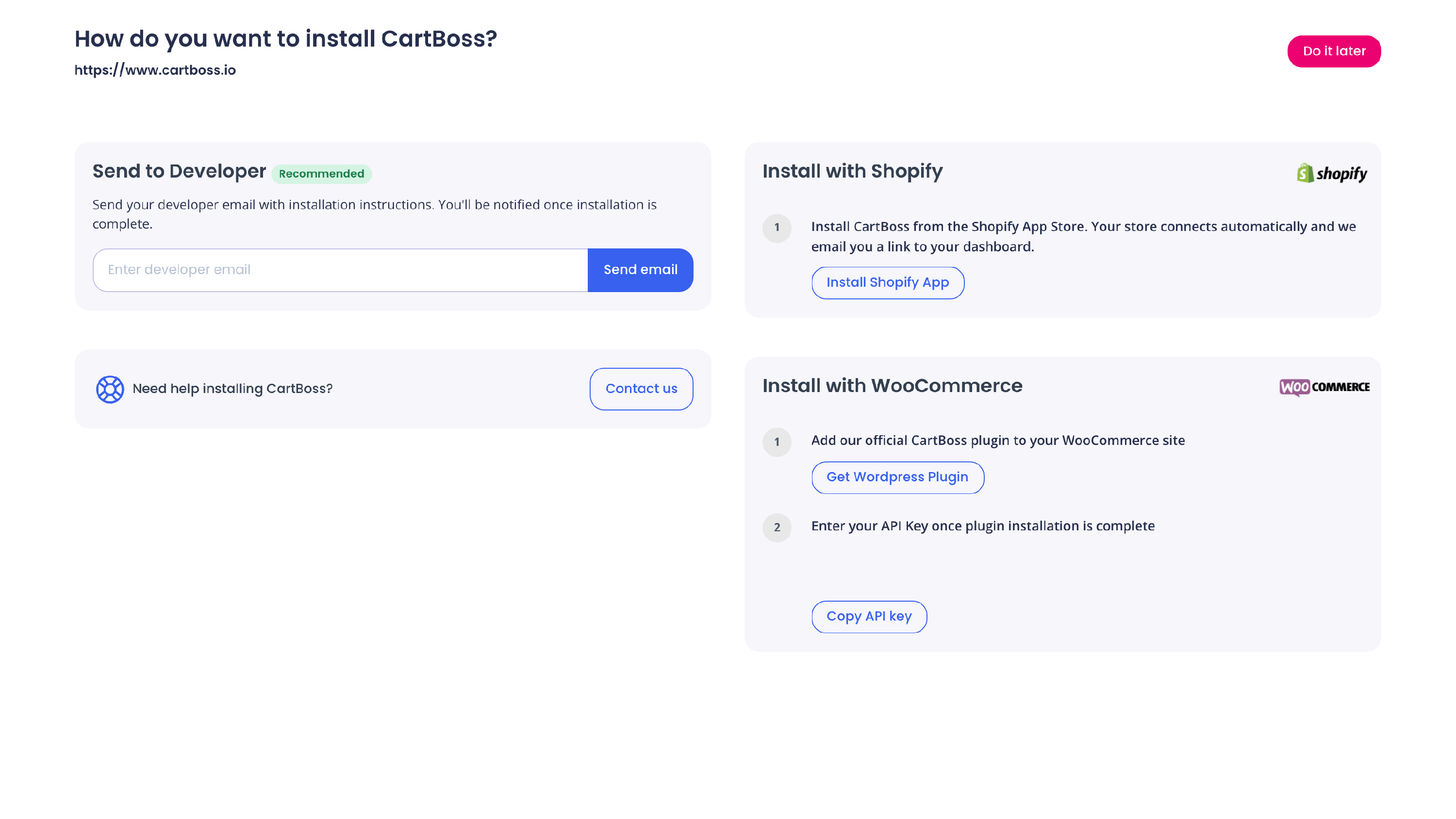
Other platforms are not supported. There is no app or plugin for them, for example Wix, Squarespace, BigCommerce, Magento or a store built from scratch. When you add a store, CartBoss shows only these two ways to install it:
Get started
- Connect your store: on Shopify, install the CartBoss app (see How to connect your Shopify store to CartBoss); on WooCommerce, install the CartBoss plugin and paste your store's API key (see How to connect your WooCommerce store to CartBoss).
- Add funds to your balance (see How to add funds, turn on auto reload and download invoices in CartBoss).
- Check your abandoned cart texts and switch on the ones you want (see How to set up abandoned cart text messages in CartBoss).
Questions
What does CartBoss do?
It texts shoppers who left items in their cart, with a link back to it, and it can text customers again some time after a purchase (Win-Back). See How to set up Win-Back texts after a purchase in CartBoss.
Where does CartBoss get the phone numbers?
From the phone field at your store's checkout. On Shopify, see How to ask for a phone number at Shopify checkout so CartBoss can text abandoned carts.
What does CartBoss cost?
Installing is free. You pay per text from your prepaid balance. A brand (your own sender name) is optional. Prices are on the pricing page.
How do I log in?
With your email: CartBoss sends you a code, and there is no password. See How to log in to CartBoss with an email code.
Do I have to write the texts myself?
No. CartBoss has ready-made texts, written and translated by CartBoss, that you switch on. You can also write your own: see How to change your abandoned cart text in CartBoss.
Are the texts translated?
The ready-made texts are. For your own texts, you add translations yourself; customers get the language of their country. See How to send texts in your customer's language in CartBoss.
Can my texts come from my store's name?
Yes. Without a brand, your store name starts every text. With a brand in Brand Kit, your own name replaces "CartBoss" as the sender in supported countries. See How to change the sender name of your CartBoss texts.
Can I manage several stores or my clients' stores?
Yes. Group stores into organizations, each with its own balance and invoices, and invite users to them. See How to manage several stores, organizations and users in CartBoss.
Who receives the texts?
For each store you choose all visitors, or only visitors who gave consent on your website. A shopper who already bought from you or gave consent before can still get texts. Consent rules depend on your country, so check them with your legal adviser. See How to text only shoppers who gave SMS consent in CartBoss.
Can customers stop the texts?
Yes. Every text ends with a "Stop" link, and you can also unsubscribe a number yourself. See How to unsubscribe a phone number (SMS opt-out) in CartBoss.
A customer didn't get a text. Why?
Several rules can stop or delay a text, such as quiet hours or an empty balance. See How to find out why a shopper didn't get a CartBoss text.
My store is not Shopify or WooCommerce. Can I use CartBoss?
No. CartBoss works only with Shopify and WooCommerce stores. If you move your store to one of them, you can connect it then. Questions? Write to support@cartboss.io.