
How to set up a brand (your own sender name and links) in CartBoss
Set up a brand in CartBoss Brand Kit and your texts come from your own sender name, with branded short links instead of the default CartBoss sender. A brand is a monthly subscription that you can cancel at any time; the price is on the pricing page and on the order button.
Before you begin
- Add a payment method under Billing. The monthly subscription is charged to this card. See How to add funds, turn on auto reload and download invoices in CartBoss.
- Complete your company profile: click Profile in the left menu, under Organization, and fill in the company name, street address, city, postal code and country. See How to add your company details and VAT ID for CartBoss invoices.
Until both are done, the Set up your brand button is greyed out. Brand Kit only reminds you about the payment method, so check the company profile too.
Set up your brand
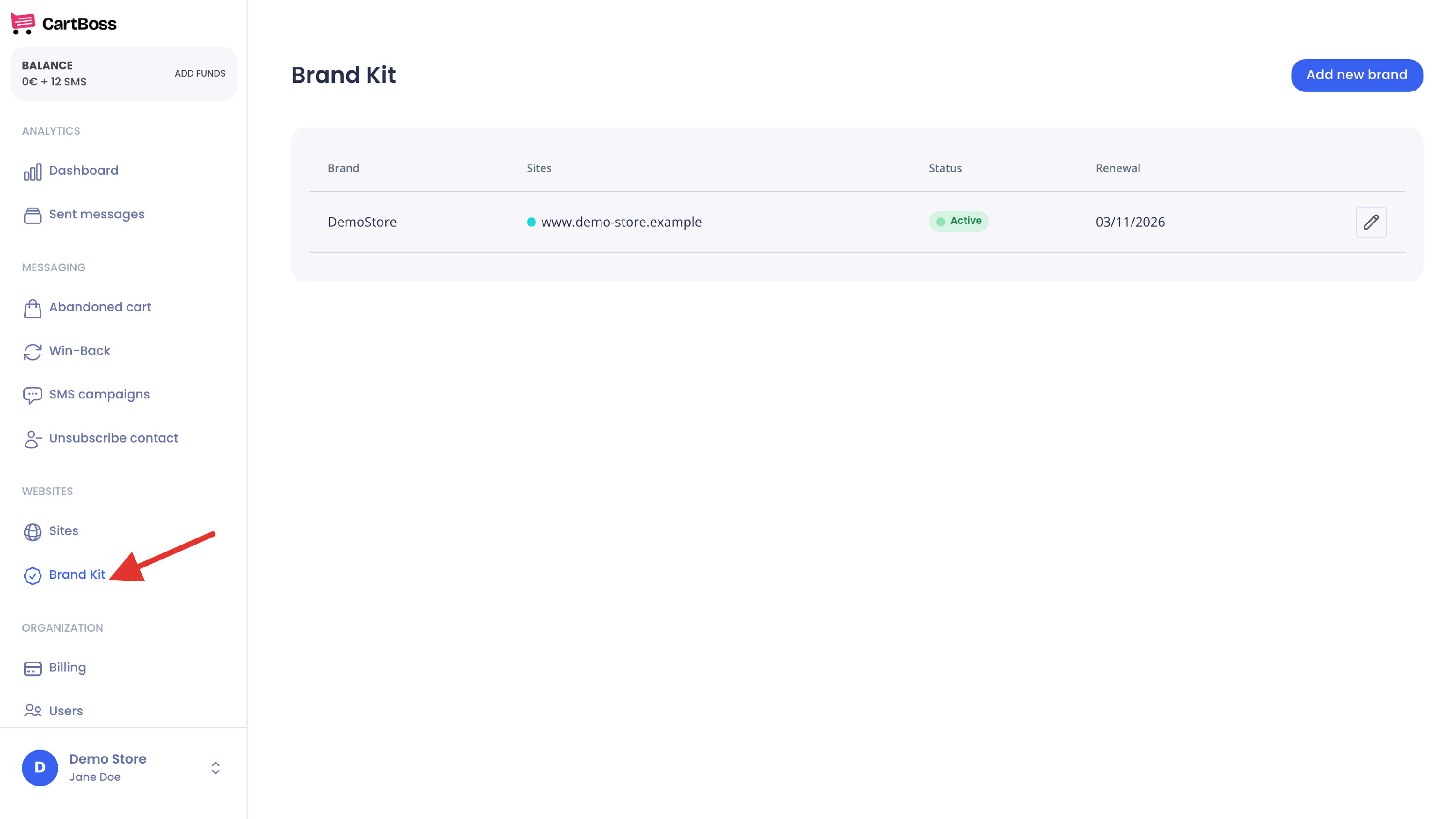
- In your CartBoss dashboard, click Brand Kit in the left menu, under Websites.
- Click Set up your brand. If you already have a brand, click Add new brand at the top right.
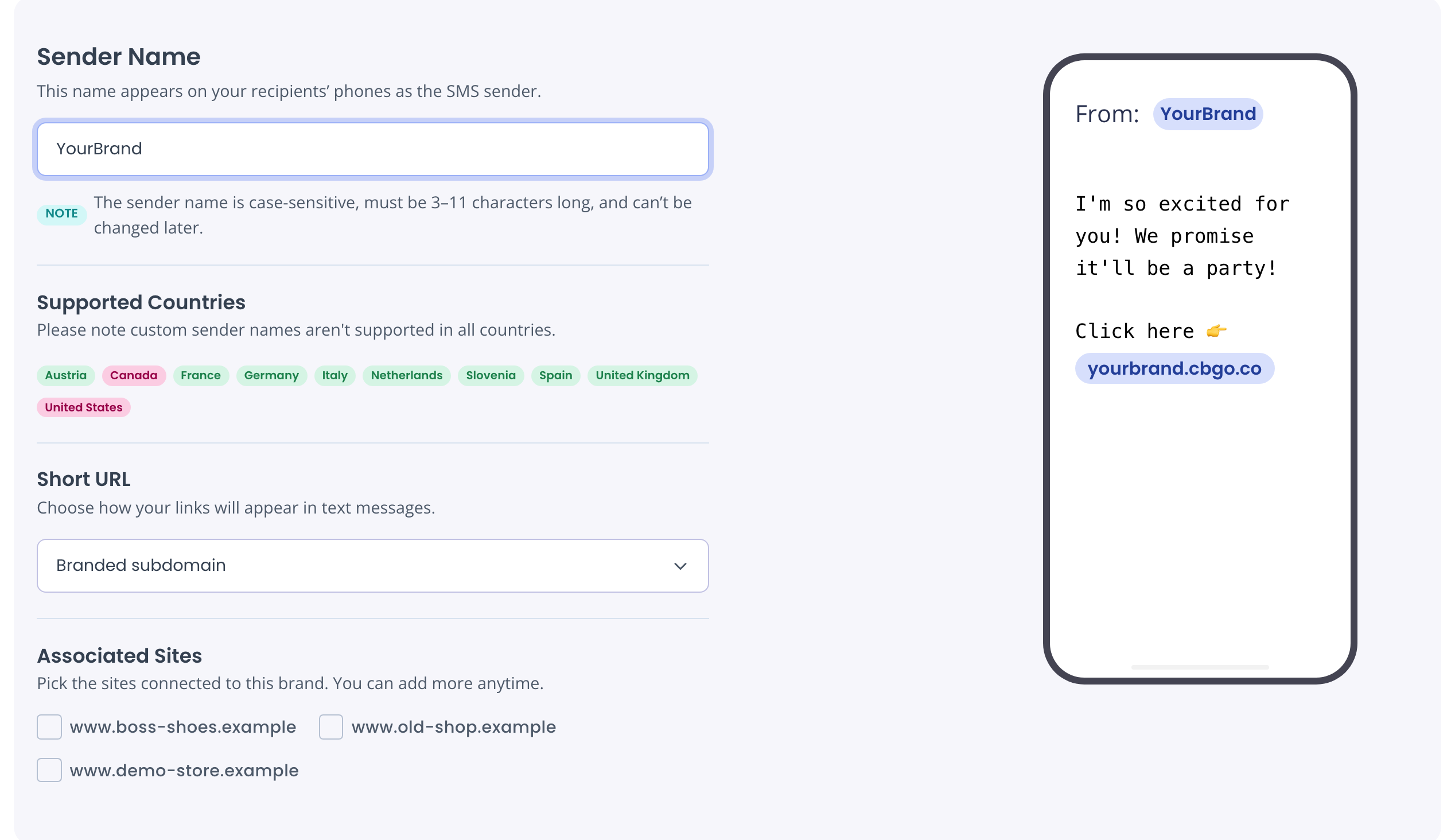
- Sender Name: type the name your customers will see as the sender, for example your store name.
- 3 to 11 characters.
- Letters and numbers only. No spaces or symbols.
- It is case-sensitive: "YourBrand" and "yourbrand" look different on the phone.
- You can't change it later. To use a different name, you need a new brand.
- Supported Countries: check the list. Your sender name is used for customers in the green countries. In the red ones, custom sender names aren't available, so messages there keep the default sender. See How to check where your custom sender name works.
- Short URL: choose how links in your messages look.
- Branded subdomain (easiest): links look like yourbrand.cbgo.co/…. Nothing else to do.
- Custom subdomain: links use a subdomain of your own website, for example sms.yourbrand.com. See Use your own subdomain below.
- Associated Sites: tick the stores that should send messages with this brand.
- Check the phone preview on the right, then click Order brand at the top right. The button shows your monthly price.
What happens after you order
Your brand moves through these statuses in the Status column of Brand Kit:
- Processing payment (up to 30 min): we charge the first month to your card.
- In review (up to 3 business days): we register your sender name with the phone networks.
- Active: we send you an email that your brand is registered. From then on, messages from the selected sites go out with your sender name and short links.
If we can't register it, the status is Rejected and we email you (see Questions below).
The subscription renews automatically on the date shown under Renewal in Brand Kit. If the renewal payment does not go through, Renewal shows Expired and we try your card again. Your brand keeps sending for 5 more days after the renewal date. After that, messages go out with the default sender and links until the payment goes through.
Use your own subdomain
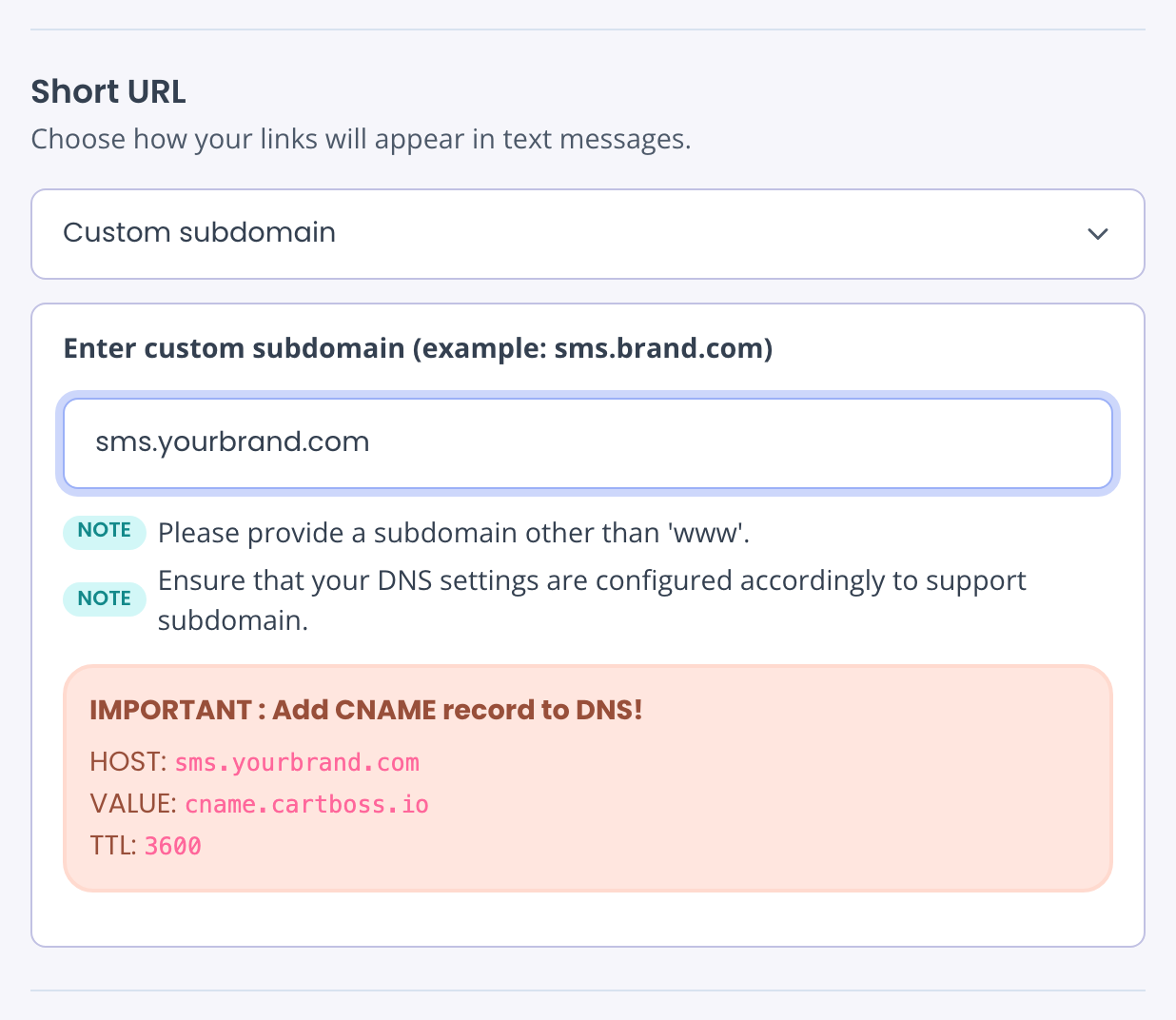
Choose Custom subdomain under Short URL and type a subdomain of your website, for example sms.yourbrand.com. Then add a CNAME record at your domain provider, with the values Brand Kit shows. You can only choose this when you order a brand. Full steps and a fix for links that don't open: How to use your own subdomain for links in CartBoss texts.
Add or remove sites later
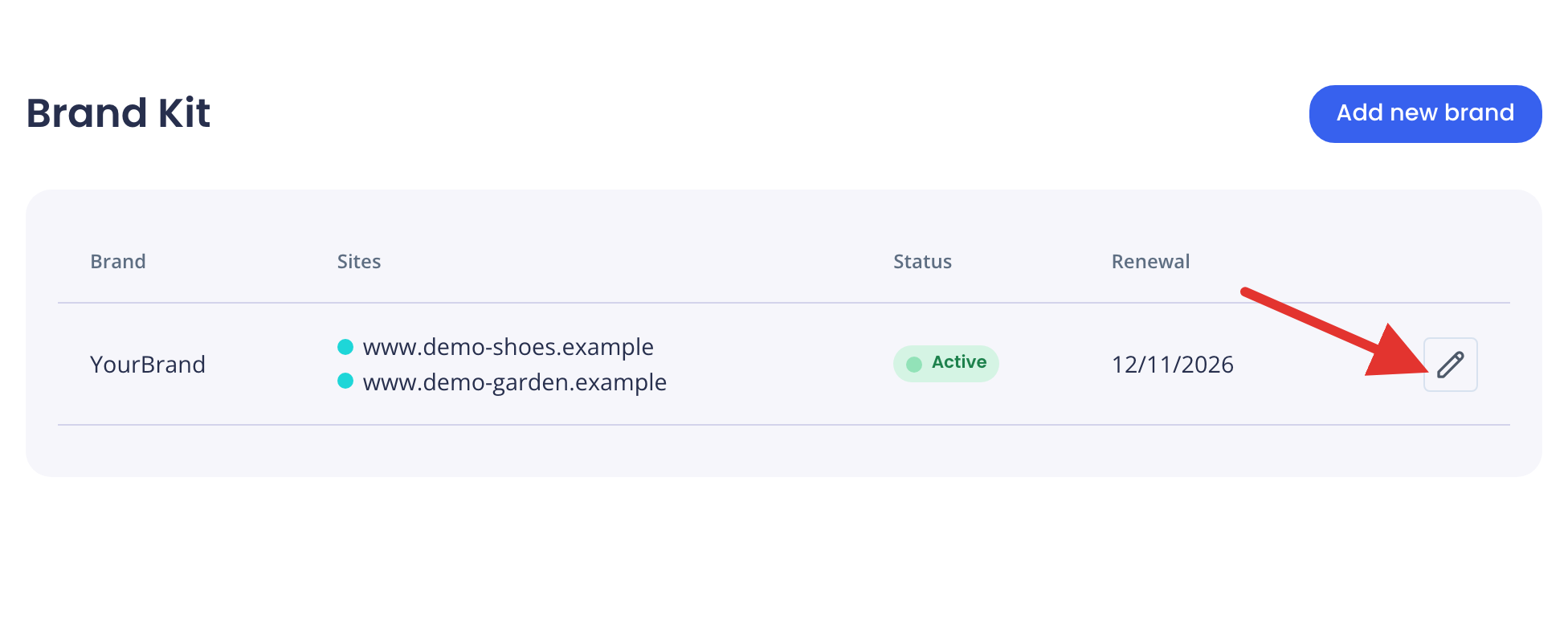
- Open Brand Kit.
- Click the pencil button next to your brand.
- Tick or untick sites under Associated Sites and click Save.
Only the sites can change. The sender name and short URL stay as you ordered them.
Questions
Why is the Set up your brand button grey?
Your organization needs both a payment method and a complete company profile. Check Billing and Profile in the left menu. Only the owner and Managers can open them.
Why does the Order brand button stay grey?
Check that the sender name has 3 to 11 letters or numbers. With a custom subdomain, check that it has at least three parts (like sms.yourbrand.com) and does not start with www.
What does "Brand name is already taken" mean?
Another CartBoss customer uses this sender name. Pick a different one.
Why do my customers abroad still see "CartBoss"?
Their country doesn't support custom sender names. Your branded short links still work there.
What do I do when my brand shows "Rejected"?
We couldn't complete the registration with the details we had. We send you an email when this happens. Reply to that email, and we'll explain what to change and set up the registration again with you. You can't send it again yourself from Brand Kit. Lost the email? Write to support@cartboss.io.
How do I cancel?
Open the brand with the pencil button and click Delete. This stops the monthly subscription. Messages then go out with the default sender and links again. You can't delete a brand while it is In review.