
How to change the sender name of your CartBoss texts
Change your CartBoss SMS sender name in two ways: a free Site name at the start of each text, or a Brand Kit sender name as the real SMS sender ID. The site name is free; a brand is a monthly subscription (see the pricing page).
Site name or Brand Kit sender name?
| Site name | Brand Kit sender name | |
|---|---|---|
| Where customers see it | At the start of the text: "DemoStore: Hello Jane, …" | As the sender of the text, instead of "CartBoss" |
| Sender shown on the phone | CartBoss | Your sender name in supported countries; CartBoss in the others |
| Countries | All | Only the green countries in Supported Countries |
| Length and characters | 3 to 15 characters; spaces allowed; not a web address | 3 to 11 letters and numbers; no spaces or symbols; case-sensitive |
| Change it later | Any time | Never; a new name needs a new brand |
| Links in the text | Default short links | Your own branded short links |
| Set per | Store | Brand; one brand can serve several stores |
| Price | Free | Monthly subscription |
You don't need both. While a store has an Active brand, its texts don't start with the site name.
Change the site name (free)
- In your CartBoss dashboard, click Sites in the left menu, under Websites.
- Click the pencil button (Edit website) next to your store.
- On the General tab, type your name in Site name: 3 to 15 characters, for example your store name. The Example line below shows how your texts will start.
- Click Save at the top right.
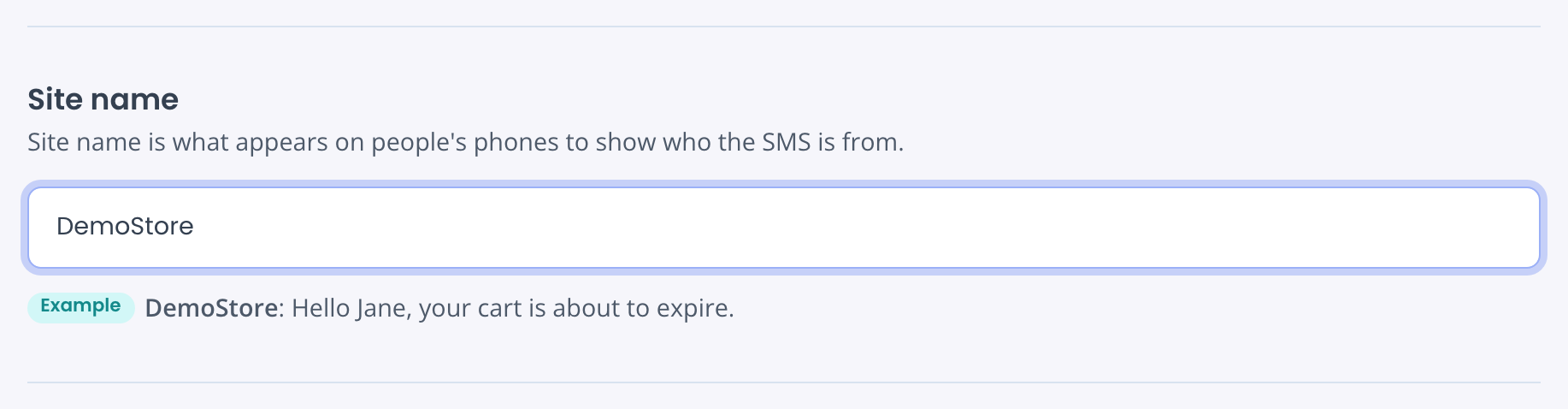
Your next texts from this store start with the new name. Each store has its own site name. The name and the colon are part of the text, so they use a few of its characters (see How to keep a CartBoss text to one SMS part).
Use your own sender name (Brand Kit)
With a brand, your sender name replaces "CartBoss" as the sender on the phone, and the links in your texts use your own short links.
- Click Brand Kit in the left menu, under Websites.
- Click Set up your brand.
- Type your Sender Name: 3 to 11 letters and numbers. It is case-sensitive and can't be changed later.
- Check Supported Countries, choose your Short URL, tick your stores under Associated Sites and click Order brand.
Brand Kit needs a payment method and a complete company profile. Full steps: How to set up a brand (your own sender name and links) in CartBoss. Where your sender name works: How to check where your custom sender name works.
Questions
I changed the site name. Why does the phone still show "CartBoss" as the sender?
The site name goes at the start of the text, not into the sender field. To change the sender itself, set up a brand in Brand Kit.
What is an SMS sender ID?
It is the name or number a phone shows as the sender of a text. Without a brand, CartBoss texts are sent with the sender "CartBoss". With an Active brand, they are sent with your sender name in supported countries. In a few countries, carriers may show a number as the sender instead.
Why is my site name in capital letters?
When you add a store, CartBoss suggests a name made from your web address, in capitals, like "MYSHOP". Change it to any name you like.
Saving shows "Length must be between 3 and 15."
The site name is too short or too long. Shorten it to 15 characters or fewer and save again.
Can I change my Brand Kit sender name?
No. The sender name is fixed once you order the brand. For a different name, order a new brand.
Why do some customers see "CartBoss" even though I have a brand?
Their country doesn't support custom sender names. Your branded short links still work there. With a brand, the text has no site-name prefix either, so mention your store in the message.