
How to text only shoppers who gave SMS consent in CartBoss
SMS consent is a shopper's permission to get your texts. In CartBoss, Abandoned cart consent sets if all shoppers get texts or only those who agreed. You set it per store, and it costs nothing.
Before you begin
- Add your store under Sites (see How to add a store and choose its settings).
- If you choose to text only shoppers who agreed, add a consent checkbox to your checkout first (see Where the consent tick comes from).
Choose who gets abandoned cart texts
- In your CartBoss dashboard, click Sites in the left menu, under Websites.
- Click the pencil button (Edit website) next to the store. The General tab opens.
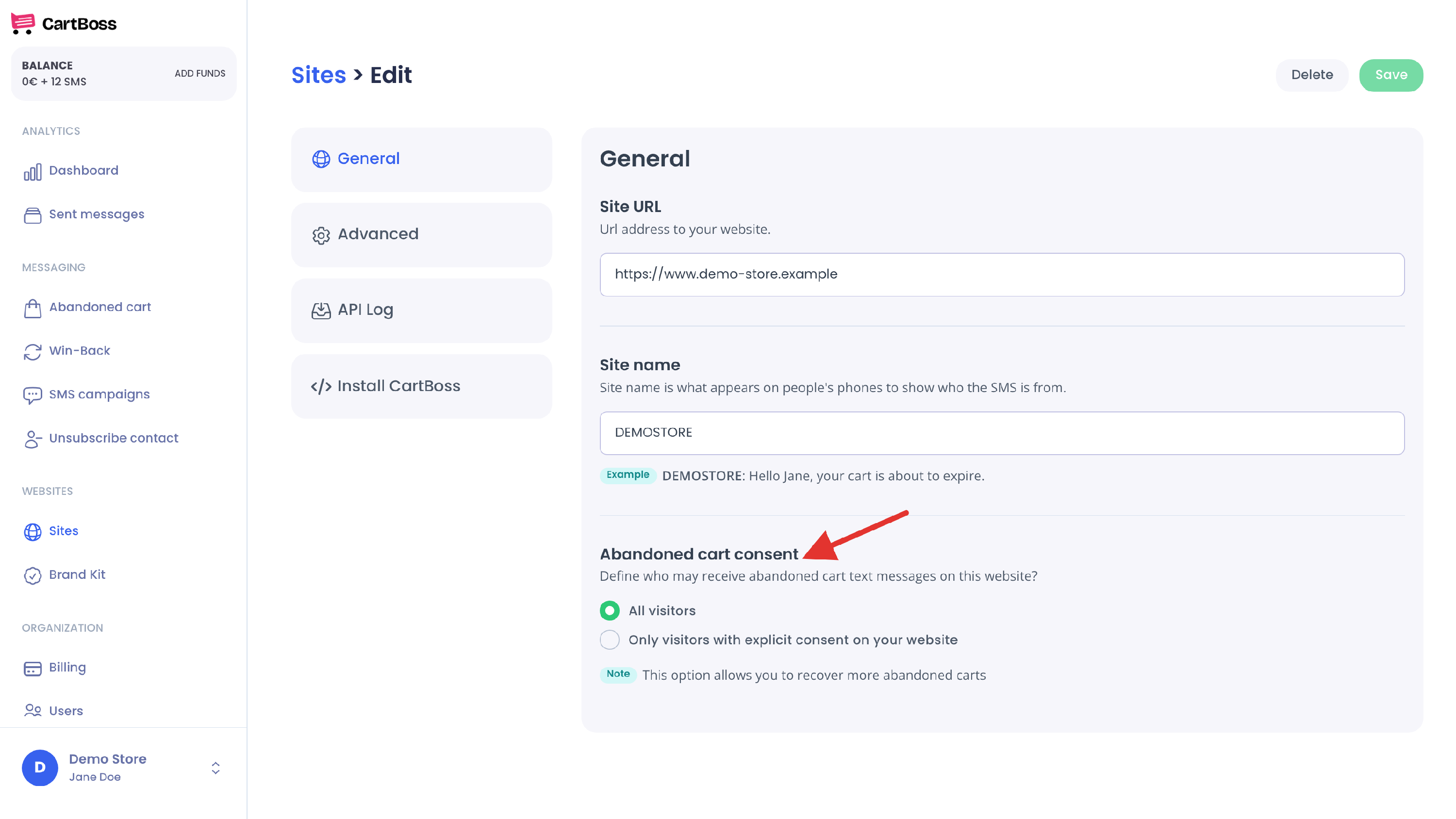
- Under Abandoned cart consent, choose All visitors or Only visitors with explicit consent on your website.
- Click Save at the top right.
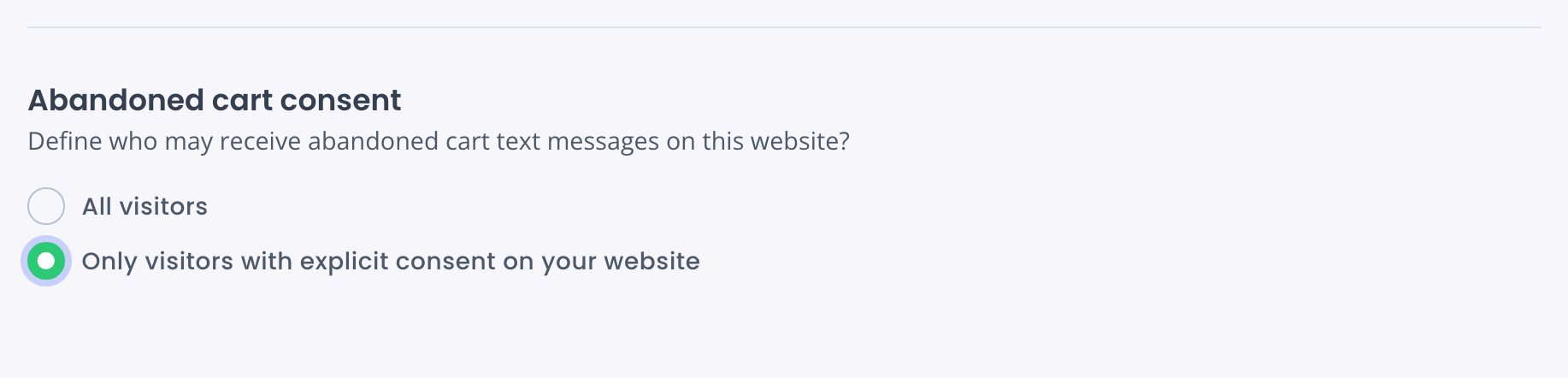
What each option does
- All visitors (the default for a new store): every shopper who types a phone number at checkout can get your abandoned cart texts. The app notes: "This option allows you to recover more abandoned carts".
- Only visitors with explicit consent on your website: a shopper gets abandoned cart texts when they tick the marketing box at checkout. A shopper who is already active in your CartBoss account also gets them without a new tick. That is someone who ticked the box earlier, bought from you before, or left a cart on one of your stores set to All visitors.
This setting covers abandoned cart texts. Win-Back texts follow a purchase, and CartBoss counts a purchase as the shopper's agreement.
Your contacts are shared by all stores in your account. Consent given on one store counts on your other stores too.
Where the consent tick comes from
- WooCommerce: in WordPress, click CartBoss in the left menu. Under Ask for consent at checkout, tick Show the marketing consent checkbox and click Save changes. You can change the wording in Checkbox text. See the CartBoss plugin settings.
- Shopify: turn on the marketing checkbox in your Shopify checkout settings. CartBoss counts the SMS marketing tick, and also the email marketing tick. See How to add the SMS consent checkbox to your Shopify checkout.
When a shopper unsubscribes
Every CartBoss text ends with "Stop" and a short link. A shopper can unsubscribe there, or you can do it for them under Unsubscribe contact (see How to unsubscribe a phone number). Texts that were waiting for that person are not sent.
An unsubscribe is not permanent. The person is subscribed again when they:
- leave a new cart on any of your stores set to All visitors,
- tick the marketing box at checkout on any of your stores, or
- buy from you.
Consent rules depend on your country. Ask your lawyer which option fits your business.
Questions
I chose "Only visitors with explicit consent", but a shopper who didn't tick got a text. Why?
That shopper was already active in your account: they ticked the box before, bought from you, or left a cart on a store set to All visitors.
Does the setting apply to all my stores?
No. Each store has its own Abandoned cart consent. Check it on every store.
A shopper unsubscribed and later got a text again. Why?
Something subscribed them again: a new cart on an All visitors store, a tick at checkout, or a purchase.
What happens to texts already waiting when I change the setting?
The setting is checked when a cart arrives. Texts already planned for a cart still go out.