
How to send a Win-Back text that links to a product or page in CartBoss
To send a winback SMS that opens a product or page, type its full link, starting with https://, into your CartBoss Win-Back message. Texts are paid from your balance; prices: pricing page.
Before you begin
- Know how Win-Back messages work: see How to set up Win-Back texts after a purchase in CartBoss.
- Copy the full address of the product or page from your store, for example from your browser's address bar.
Put a product or page link in a Win-Back text
- In your CartBoss dashboard, click Win-Back in the left menu, under Messaging.
- Click Add custom message, or the pencil button (Edit message) next to a message you wrote.
- Set the Delay, for example 14 Day/s after the order is paid.
- Under Default message, write your text and paste the full link. It must start with
https://, for examplehttps://www.yourstore.com/products/new-sneakers. - Click Save at the top right.
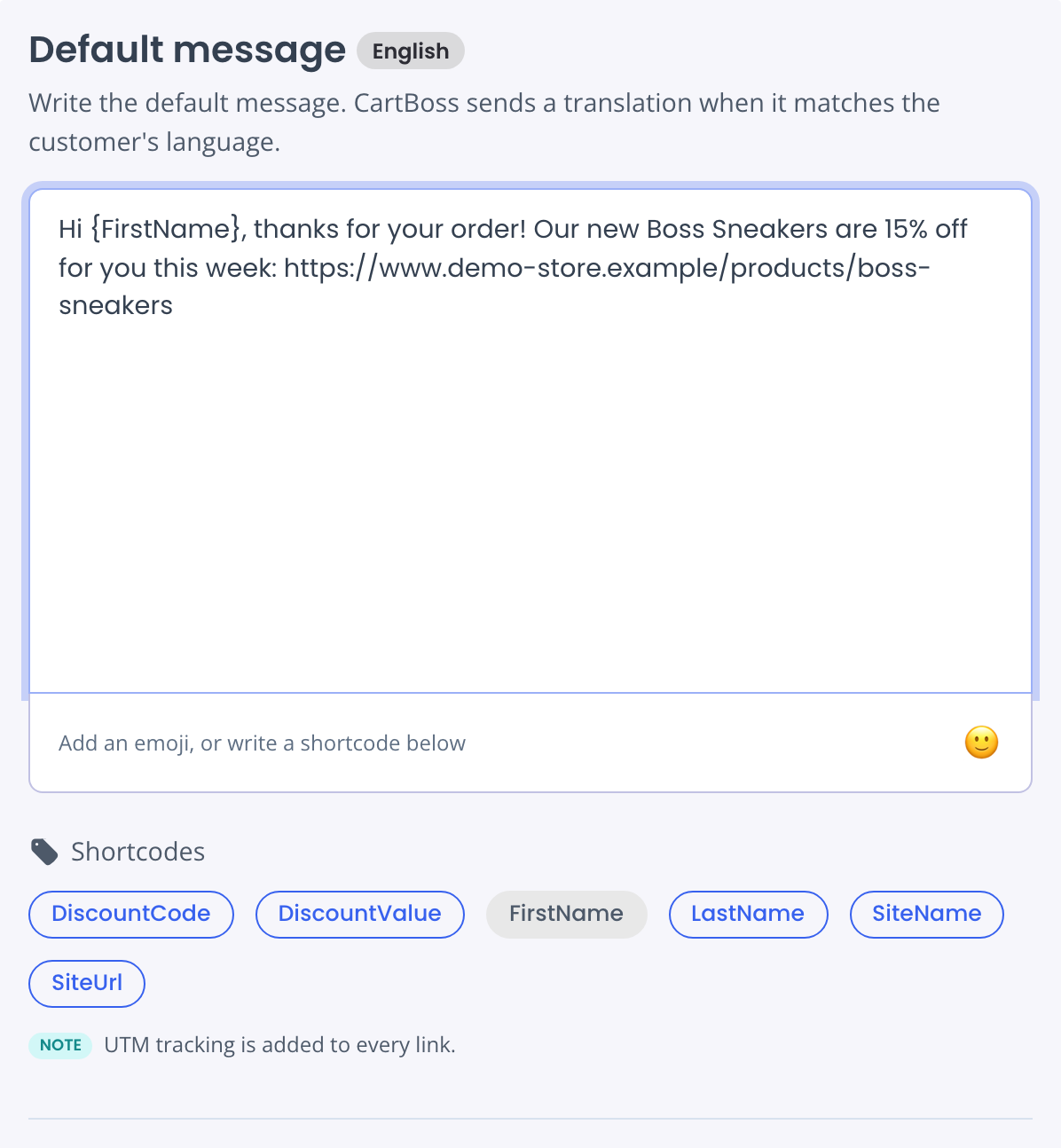
When the text is sent, CartBoss shortens the link and adds tracking to it. The customer opens your page directly.
A new message is saved Off. Switch it On in the Win-Back list.
Add a discount to the link
- In the same message, under Discount, choose Enable special offer (recommended).
- Choose a Discount type and its value, for example Percentage and 15.
- Click Save.
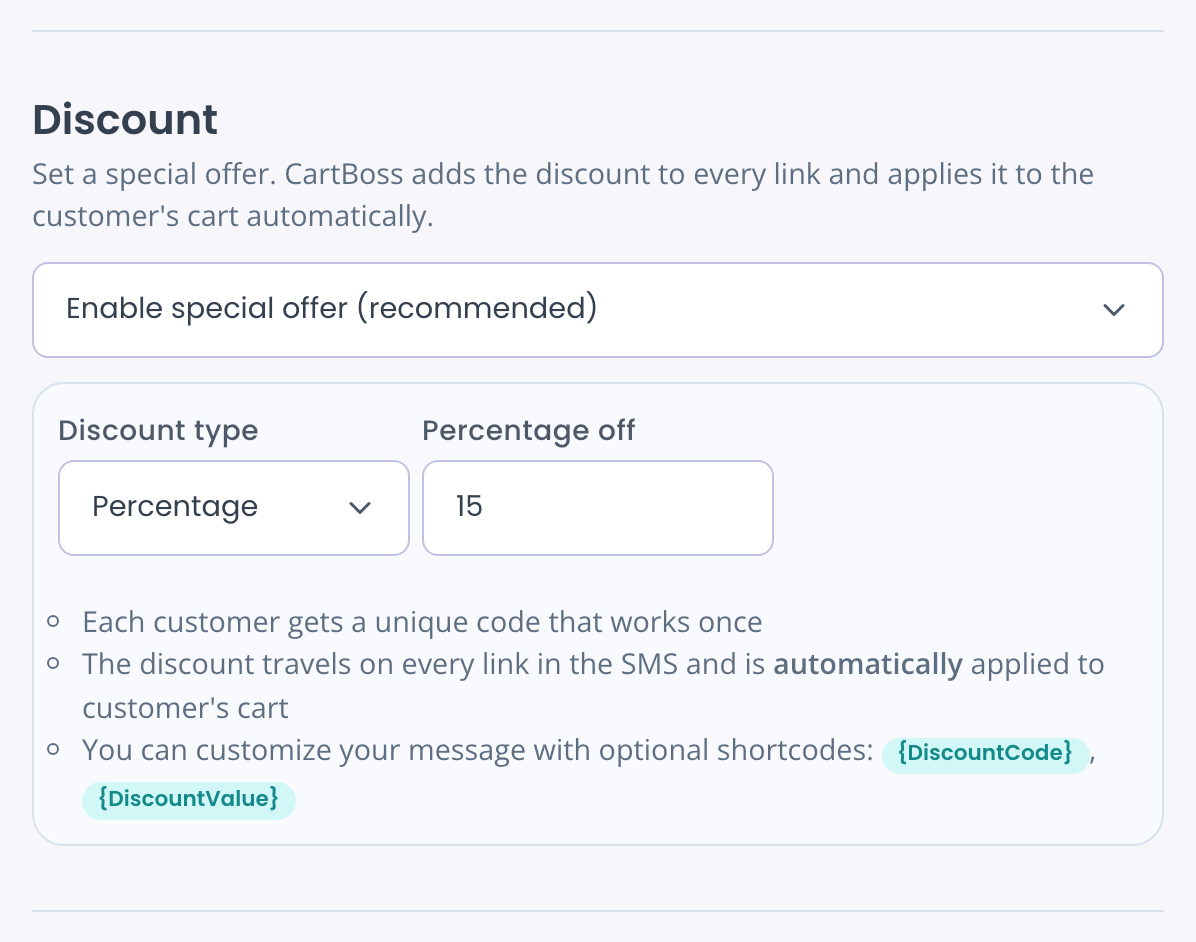
- The discount travels on every link in the text and is applied to the customer's cart when they open it. The link must lead to your own store.
- With Percentage or Fixed amount, each customer gets a unique code that works once.
- With Custom coupon, create the code in your store first. See How to send your own coupon code in a CartBoss text.
- To show the code in the text, add
{DiscountCode}.
A message with a discount needs a link. Without one, saving shows "Turn off the discount or add a link."
Give each language its own link
- Under Message translations, click a language, for example French.
- Write the translated text and paste the link to that language's page, for example
https://www.yourstore.com/fr/produits/new-sneakers. - Repeat for each language you sell in, then click Save.
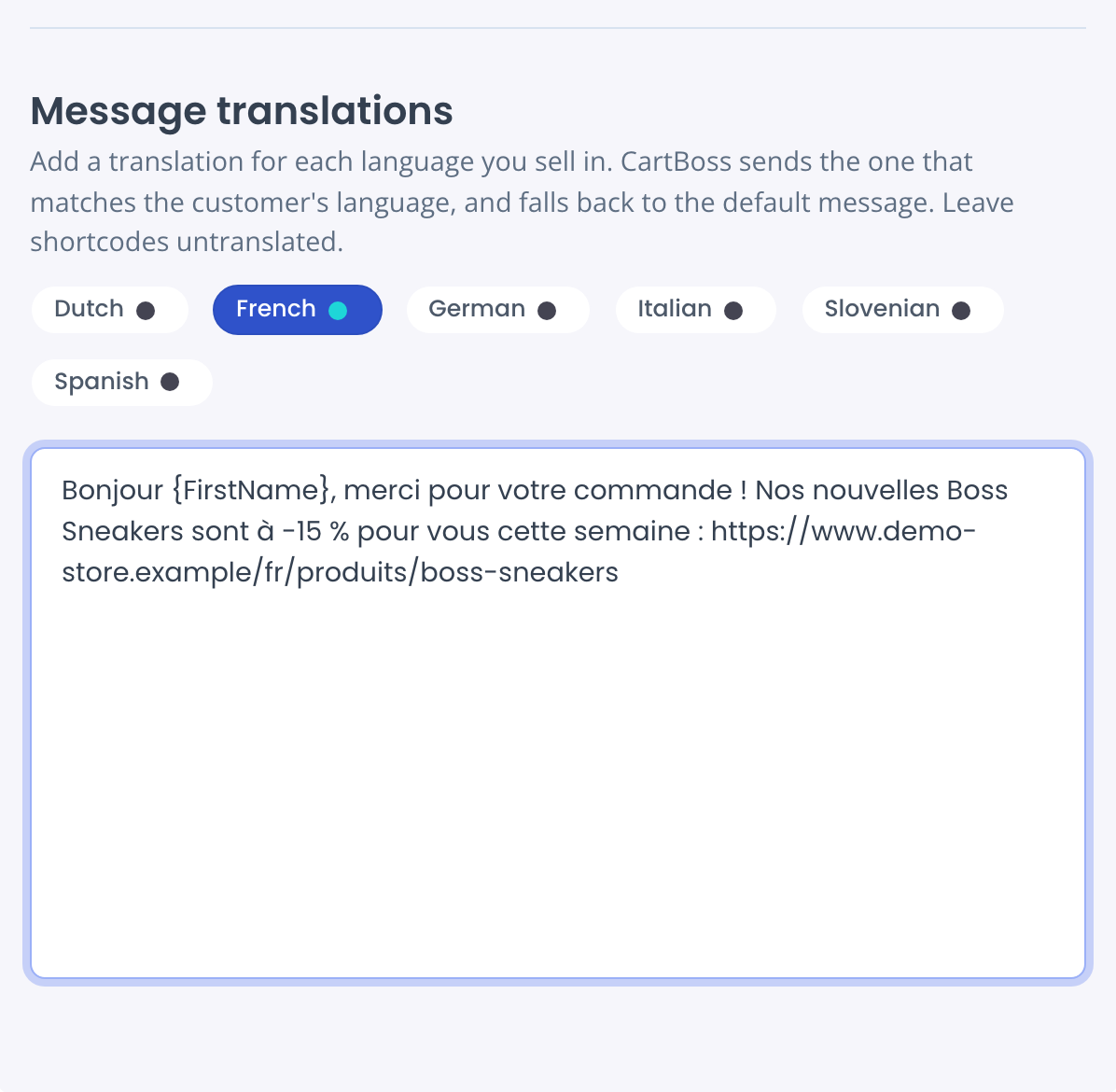
A translation is sent instead of the default message, so it must carry its own link. The discount goes only on links in the text the customer gets. See How to send texts in your customer's language.
Questions
Can I link to a page with several products?
Yes. Any page of your store works: a product, a collection or a landing page.
The discount didn't apply. Why?
Check that the link starts with https:// and leads to the store that sent the text. With Custom coupon, check that the code exists and is active in your store.
Does a long link make my text longer?
CartBoss replaces it with a short link when the text is sent. The character count in the editor counts the link as you typed it.
Can I link to my store's home page instead?
Yes. Click the {SiteUrl} shortcode. It is replaced with your store's address.