
How to personalize CartBoss texts with shortcodes
For SMS personalization in CartBoss, add shortcodes such as {FirstName} to a message; each text gets the shopper's own details when it is sent. Shortcodes cost nothing extra, but longer texts can need more SMS parts.
Before you begin
- You can add shortcodes to your custom messages. Preset message texts are locked. See How to write your own abandoned cart text.
Add a shortcode to a message
- Open a message: Messaging → Abandoned cart or Win-Back, then the pencil, or Add custom message.
- Click in the Default message box where the shortcode should go.
- Click a button under Shortcodes, for example FirstName. CartBoss inserts {FirstName}. Hover a button to see what it does.
- Check the phone preview. It shows sample values, such as "Jane" and "Boss T-Shirt".
- Click Save.
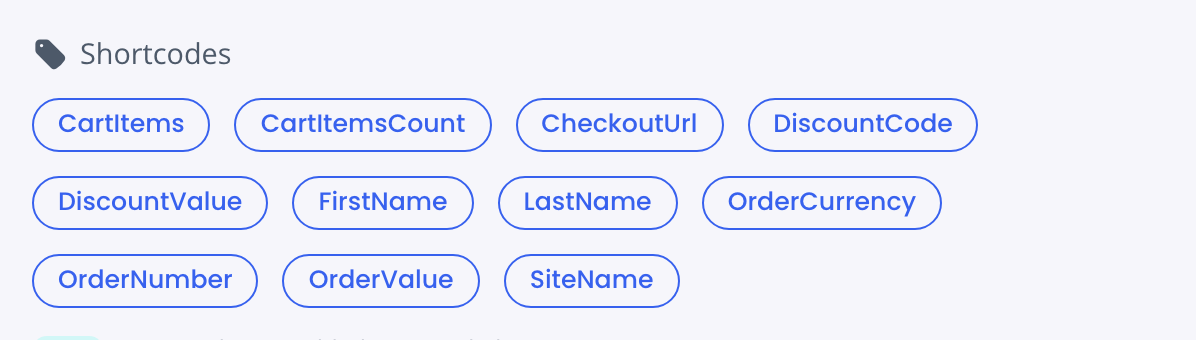
Abandoned cart shortcodes
- {FirstName}: the shopper's first name, if CartBoss has it.
- {LastName}: the shopper's last name, if CartBoss has it.
- {CartItems}: the names of the products in the cart. Up to two names, then "...".
- {CartItemsCount}: how many different products are in the cart.
- {CheckoutUrl}: a short link back to the shopper's cart. Put it in every abandoned cart text; any discount travels on it.
- {OrderValue}: the cart total as a number, for example 24.99.
- {OrderCurrency}: the currency symbol, for example €. Use it with {OrderValue}.
- {SiteName}: your store's Site name, from Sites → pencil → General.
- {DiscountCode}: the shopper's discount code, or your custom coupon. Empty when the message has no discount.
- {DiscountValue}: the discount, for example "20%" with a Percentage discount. Empty for Free shipping and Custom coupon.
- {OrderNumber}: leave it out of abandoned cart texts. It stays empty until an order is placed.
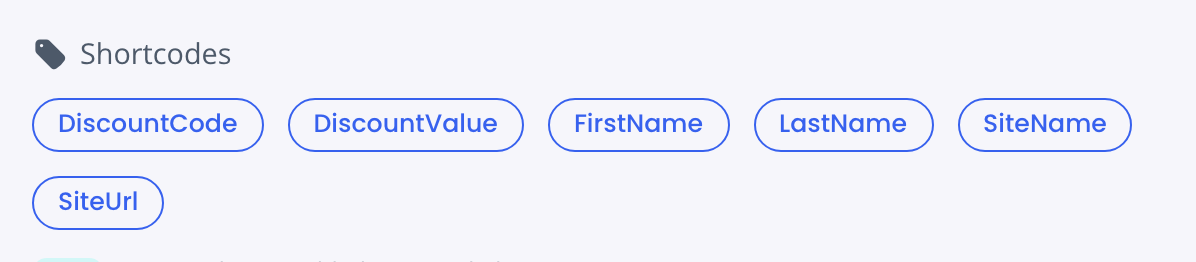
Win-Back shortcodes
Win-Back texts go out after a purchase, so they have their own set:
- {FirstName}, {LastName}, {SiteName}, {DiscountCode} and {DiscountValue}: as above.
- {SiteUrl}: a short link to your store. Use it as the link in a Win-Back text.
Example
You write: "Hi {FirstName}, you left {CartItems} in your cart. Get {DiscountValue} off: {CheckoutUrl}"
The shopper gets: "Hi Jane, you left Boss T-Shirt in your cart. Get 20% off: " followed by a short link.
If the name is missing, CartBoss tidies the leftover comma and spaces, so the text still reads well.
Rules for shortcodes
- Write them exactly as on the buttons, with curly brackets. Capitals matter: {FirstName} works, {Firstname} does not.
- A misspelled shortcode in the default message stops the save with: "Firstname" is not a valid shortcode. Check the spelling or remove it.
- Translations are not checked. A misspelled shortcode there goes out as plain text, so copy shortcodes from the default message.
- Don't translate shortcodes. {FirstName} stays {FirstName} in every language.
- The length meter counts a shortcode by its name, not by what replaces it. Product names and links can be longer. See How to keep a CartBoss text to one SMS part.
Questions
Can I use {CheckoutUrl} in a Win-Back text?
No. A Win-Back text goes out after a purchase, so there is no cart to return to. Use {SiteUrl}.
Can I use {SiteUrl} in an abandoned cart text?
No. Use {CheckoutUrl}, which brings the shopper back to their own cart.
Are links tracked?
Yes. CartBoss adds UTM tracking to every link.