
How to pause CartBoss for a store or a single message
To pause CartBoss, switch a store Off on the Sites page, or switch one message Off in its list. Texts already waiting are cancelled, not held for later. Pausing is free, and you can switch back On at any time.
Pause a store
- In your CartBoss dashboard, click Sites in the left menu, under Websites.
- Click the switch next to the store so it shows Off. The change is saved at once.
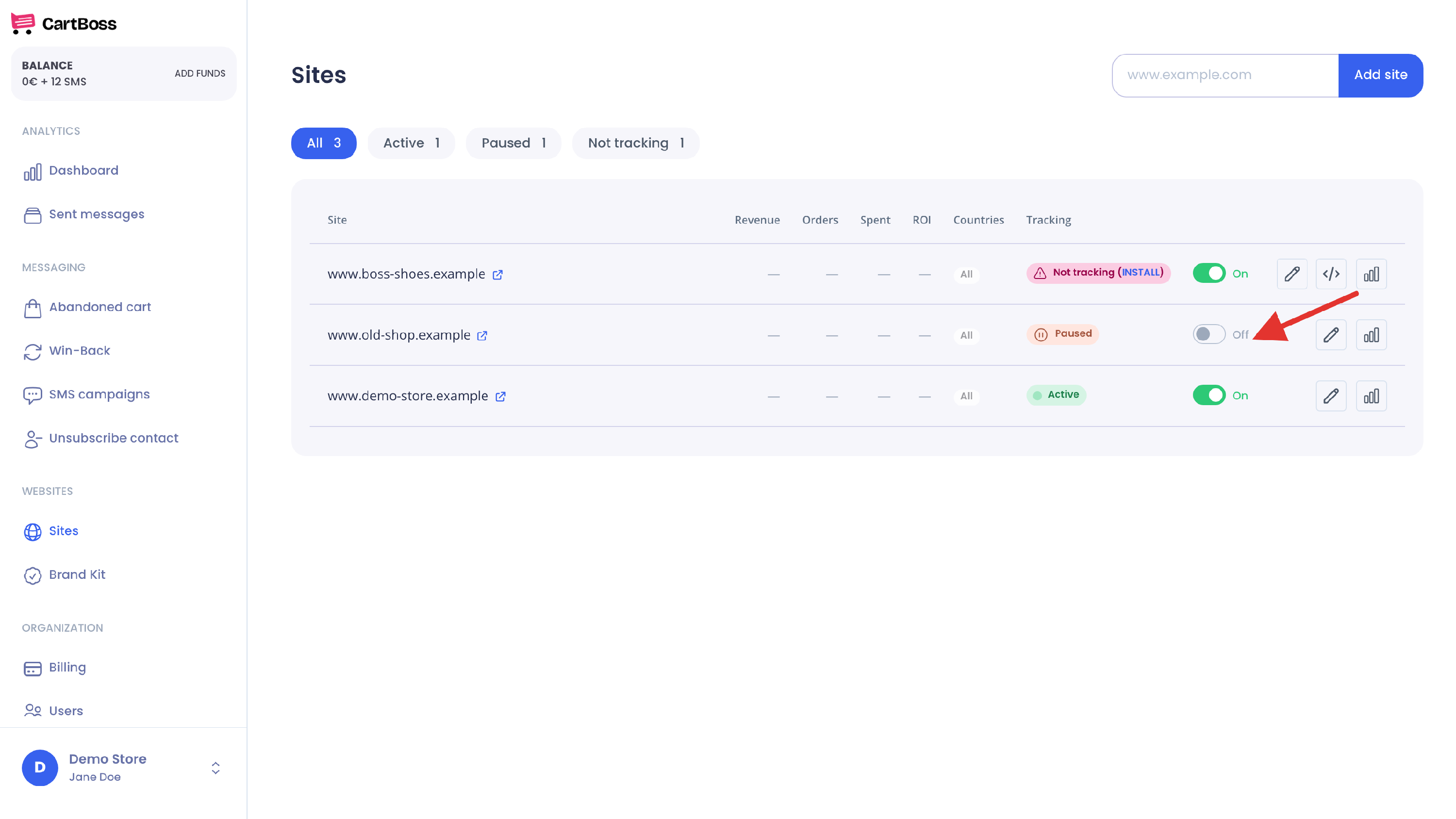
The Tracking column now shows Paused. Use the Paused filter at the top to see all paused stores.
What happens while a store is paused
- New carts are ignored. CartBoss does not keep them, so they are never texted, even after you switch the store back On.
- Waiting texts are cancelled. A planned text whose send time comes while the store is paused is cancelled. Switching the store back On does not resend it.
- This covers every message for that store: abandoned cart and Win-Back texts.
- Your other stores keep working.
Pause a single message
- In the left menu, under Messaging, click Abandoned cart or Win-Back.
- In the Status column, click the message's switch so it shows Off. The change is saved at once.
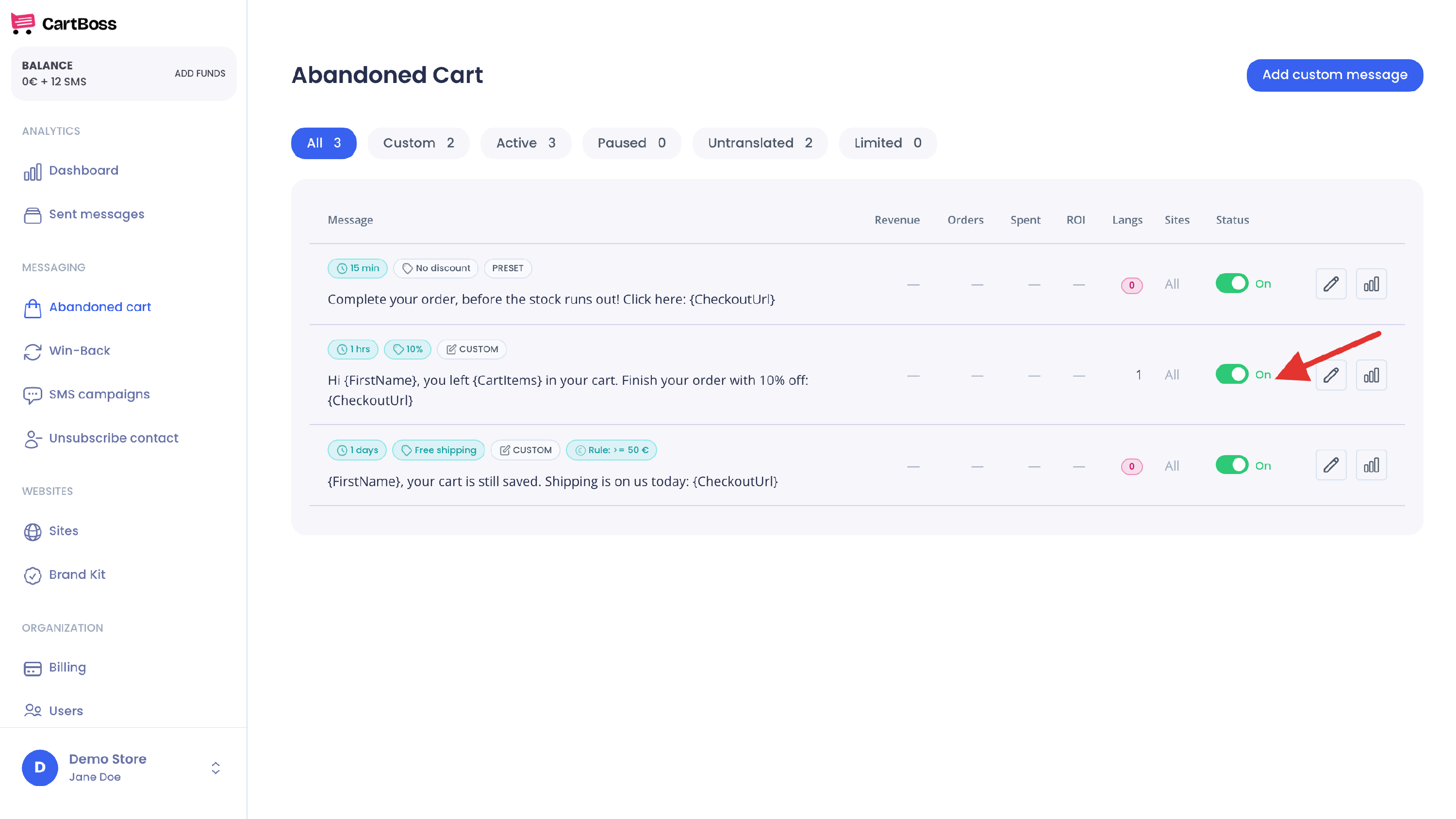
What happens while a message is off
- No new texts from this message, on any of your stores.
- Waiting texts from this message are cancelled when their send time comes while the message is off. Switching it back On does not resend them.
- Your other messages keep sending.
Start again
Click the same switch so it shows On. CartBoss starts with the next cart or order. Carts from the paused time are not texted.
Questions
How do I pause CartBoss for all my stores at once?
There is no single switch. Switch each store Off on the Sites page.
Does a paused store still cost anything?
No texts are sent from it, so no texts are paid. Your balance stays in your account.
Is pausing the same as "Not tracking"?
No. Paused means you switched the store off. Not tracking means CartBoss is not hearing from the store (see How to fix a store that shows Not tracking).
A shopper still got no text after I switched back On.
Texts cancelled during the pause are not resent. For other reasons, see How to find out why a shopper didn't get a CartBoss text.
Can I stop texts to one person instead?
Yes. Unsubscribe their number (see How to unsubscribe a phone number).