
How to protect your store from SMS pumping (fake SMS traffic)
To stop SMS pumping (bots typing fake phone numbers at checkout to trigger texts you pay for), set a daily spend limit and text only countries you sell to. In CartBoss, an up-to-date WooCommerce plugin and an automatic flood pause protect your balance too.
Signs of fake traffic
- Your balance drops much faster than usual.
- You get the email "You have used two thirds of today's spend limit" on a normal day.
- Under Sent messages you see many numbers from countries you don't ship to.
1. Set a daily spend limit
The daily spend limit is the most your texts can cost in one day. When it is reached, further texts are skipped until the next day starts, so fake traffic can't drain your balance. Every account starts at 100€ a day.
- Click Billing in the left menu, then the Spend limit tab.
- Set Daily limit a bit above what you spend on a busy day and click Save limit.
Full steps: How to set a daily SMS spend limit in CartBoss.
2. WooCommerce: update the CartBoss plugin
From version 4.5.1, the plugin accepts at most three different phone numbers per shopper per hour. A bot that types in one fake number after another is stopped, so those fake numbers never get a text. Real shoppers are not affected, and there is nothing to set up.
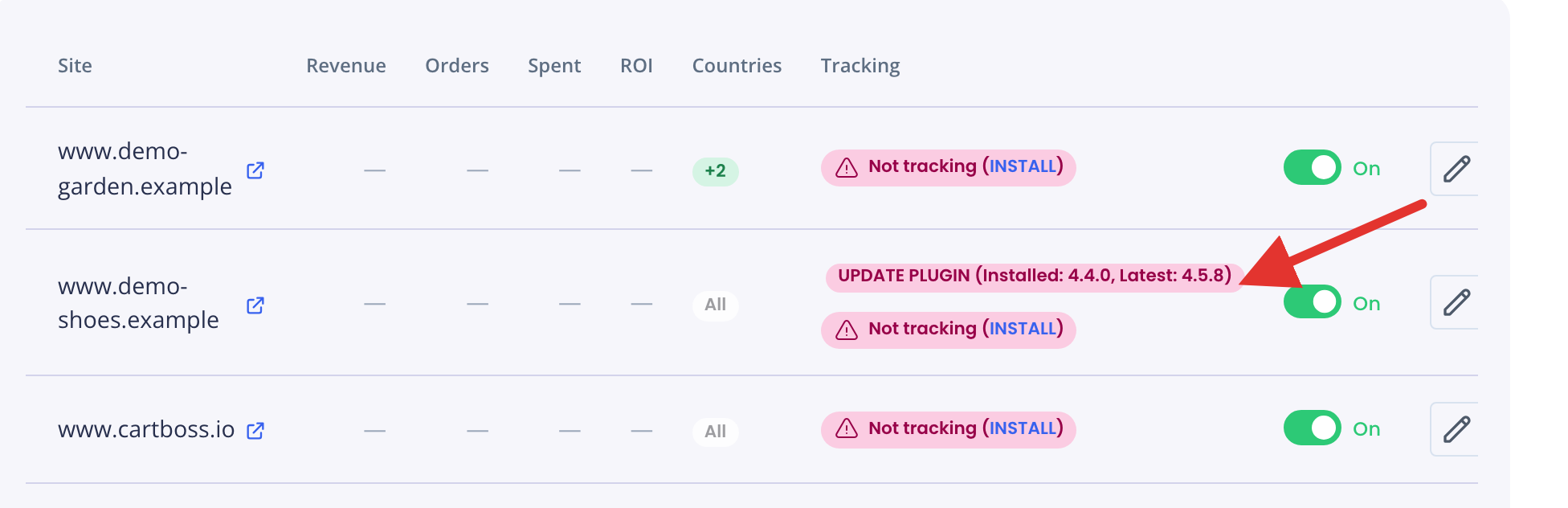
- In CartBoss, click Sites in the left menu. If a site shows UPDATE PLUGIN, its plugin is out of date.
- Update the plugin in WordPress (see How to update the CartBoss plugin in WordPress).
- If you use a caching plugin or a service like Cloudflare, clear its cache. Otherwise some visitors keep getting the old version of your checkout page for a while.
3. Send only to the countries you sell to
The Countries column on the Sites page shows where each site sends texts: All, a green + number (only these countries) or a red − number (all except these). Hover the badge to see the countries.
To limit a site to the countries you sell to:
- On the Sites page, click the pencil button (Edit website) next to the site.
- Open the Advanced tab.
- Under Country tracking limitations, choose Include selected countries.
- Start typing a country name and pick each country you sell to.
- Click Save at the top.

CartBoss then sends no texts to phone numbers from other countries. Use Exclude selected countries instead if you only want to block a few countries.
4. Protect your checkout from bots
Bot protection on your store stops fake carts before they reach CartBoss. Turn on the bot or spam protection that your hosting company, a service like Cloudflare, or your checkout offers. Make sure real shoppers can still check out after you turn it on.
What CartBoss does automatically
- Flood pause. CartBoss watches each site for a sudden burst of new contacts that look machine-made. When it sees one, it pauses texts to new contacts from that traffic, starting from an hour before the burst, for 6 hours (12 or 24 hours if it happens again within a week). Customers who were already in CartBoss before the burst still get their messages. A real new shopper who arrives during the pause gets no text.
- Balance check. A text that would take your balance below zero is not sent.
Questions
Do I pay for texts to fake numbers?
You pay for every text that is sent. That is why the daily spend limit matters: it caps the cost of a bad day.
What do I do if my store is under attack right now?
Lower your daily limit first, then email us at support@cartboss.io. We can look at the traffic with you.
I use Shopify. Does the plugin step apply?
No, step 2 is for WooCommerce only. Steps 1, 3 and 4 work for every store.